First design year is now completed and what a good year it was. I feel a celebration is in order .
Friday, 2 November 2012
Monday, 29 October 2012
Project 3 DSDN 112
PRECEDENTS
I felt that I liked the idea of making a stop motion as I felt it would be an effective way to present my movie. I looked into stop motion videos on you tube and vimeo for ideas on how to make it and I really liked the the theme where they make stop motion out of paper, I felt that it would reflect my app well as my app is made out of text. i liked theres videos from vimeo;
http://vimeo.com/2295261,
http://vimeo.com/3715286,
http://vimeo.com/15263537,
http://vimeo.com/5020134,
http://vimeo.com/41519839
all of these videos use paper to create stop motion, some give the vintage feel which I like as if reflects my app, while others use different colours of paper to contrast the different imagery and to make it bold and stand out.
FIRST IDEA
My first Idea is to make a 3D world made out paper with words on it, such as magazine or news paper pages and have stop motion of a cut out of a person walking through it to reenact my app
I made two of the walls to trial it but I felt to execute this well it would require a lot of time so i felt i should simplify my idea.
IDEA TWO
my second idea was to make people out of paper such as news paper or magazine paper as it would reflect my app. I felt that they would be easier to stop motion then making the 3d world in my first idea. I first made silhouettes of people but i felt if i made them they would take time as each movement i would have to cut out a new person.
FLASH
I had great trouble with Adobe flash this time around, It spent most of the time freezing or quitting which resulted in me spending hours trying to export the movie parts of my app in to quick time so i could try make my movie in iMovie which worked with less tantrums
ADD ON'S
I added a new part to my film that I didn't put in my story board. I felt that i should explain to the user what each main button did so I had the sham hands used in my app to point on each option and tell the user and audience what each button did.
MUSIC
I spent ages trying to find the best sound to fit my film, I wanted a tune that was happy and quirky as i felt it would give a positive spin on the film. I decided on a tune that i found on http://freemusicarchive.org a song by Oskar Schuster called Sneeuwland
MY FILM
My film is found on my Vimeo Account https://vimeo.com/52429863
I felt that I liked the idea of making a stop motion as I felt it would be an effective way to present my movie. I looked into stop motion videos on you tube and vimeo for ideas on how to make it and I really liked the the theme where they make stop motion out of paper, I felt that it would reflect my app well as my app is made out of text. i liked theres videos from vimeo;
http://vimeo.com/2295261,
http://vimeo.com/3715286,
http://vimeo.com/15263537,
http://vimeo.com/5020134,
http://vimeo.com/41519839
all of these videos use paper to create stop motion, some give the vintage feel which I like as if reflects my app, while others use different colours of paper to contrast the different imagery and to make it bold and stand out.
FIRST IDEA
My first Idea is to make a 3D world made out paper with words on it, such as magazine or news paper pages and have stop motion of a cut out of a person walking through it to reenact my app
IDEA TWO
my second idea was to make people out of paper such as news paper or magazine paper as it would reflect my app. I felt that they would be easier to stop motion then making the 3d world in my first idea. I first made silhouettes of people but i felt if i made them they would take time as each movement i would have to cut out a new person.
so i tried to make a cut out of a person which moved so i made different parts that moved such as arms and legs and then put pins in them so they could move. after making one in white i felt i should make one that contrasted with it as i could use an off white background like my app and then the person wouldn't stand out. So I made one in red. I haven't figured out how I could incorporate them.
i made a small stop motion to show how i could make them walk.
STORYBOARD
this is my story board i felt i would make it simple. in the movie i want ti to walk through what the app can do. with a person being lost and writing on the wall saying they are lost, I felt that she should write on the wall as I felt it reflected my app as it incorporated the idea of using words as a main idea. they would then place the phone on the ground and the app would fold out of the phone the would then play till the main screen then go back to them saying they cant find there friend then would show how they found how they are on campus and then from there would stop motion of them walking with the walls will have a overlay of text just like the app but putting in on the actual walls on kelburn.
WALLS
in my movie i want there to be iteration with the user and the app such as opening the app and showing how they use it. but also have things that happen 'in the real world' to relate back to the app. the two ideas i have come up with is having the user wright on the walls saying that they are lost, so the audience knows that they are need something to help them direct them on where to go.
Also in my app when it goes into 3D view it has the walls made up of text and this text tells them where to go and where they are located. I want to incorporate this idea into my app by having stop motion of the user walking though kelbun and have text overlaying the walls
I am a small stop motion to see how it looked, I found that this was very time consuming as on each frame i had to move the text and then line it up to where it was stilling in the previous frame. I also found that there was to much going on when I had them up and you lost focus on the person walking.
I had great trouble with Adobe flash this time around, It spent most of the time freezing or quitting which resulted in me spending hours trying to export the movie parts of my app in to quick time so i could try make my movie in iMovie which worked with less tantrums
ADD ON'S
I added a new part to my film that I didn't put in my story board. I felt that i should explain to the user what each main button did so I had the sham hands used in my app to point on each option and tell the user and audience what each button did.
MUSIC
I spent ages trying to find the best sound to fit my film, I wanted a tune that was happy and quirky as i felt it would give a positive spin on the film. I decided on a tune that i found on http://freemusicarchive.org a song by Oskar Schuster called Sneeuwland
MY FILM
My film is found on my Vimeo Account https://vimeo.com/52429863
Thursday, 4 October 2012
5 imagers
these are 5 screen shots of my app, I felt that these five all showed completely different aspects of my app, such as both the 3D and 2D paths and also some of the menus and showing how some of them are selected like circling or drawing a line through it.
In the 3D viewing it is meant to say Cotton on the lift doors not corron.
about app
Campus Compass is designed
for Victoria University students easily and effectively finds their way around
Kelburn Campus. It is to be used to find
places such as, tutorials, lectures, dining facilities, tutors, toilets,
departments, offices, and friends. To create this I wanted to go for the simple
unique, old fashioned look and handmade style.
One of my precedents was the marauders map, reflecting how the walls are
made out of words; I think this would be helpful to the student using this
application, as it would have the names of the buildings they were in on the
walls, along with the rooms that you were passing. I used this style twice in
my work, firstly in the 2D viewing, where the map constructed with names of
each building creating themselves, along with words that relate to Victoria
University such as, Kelburn Campus, Victoria University and Wellington. The
second time this style was used was in the 3D viewing which also used words
that related to the location and Victoria University, but it was also telling
the Student where to go, such as ‘turn right’ or ‘go to second floor’. I felt
that using an arrow to show the way was not reflective to my old style and instead
deciding that the idea of using hands to put them in the correct direction
would be more fitting. The fingers on the hand would even motion the
walking movement, while also would push buttons and point with the index
finger. The path that I decided to use in my Application was to find a friend;
with this you could find a list of your contacts that also have the app. When
clicking on their profile, the screen would tell you if they are on campus,
Blue Square indicating that they are available on site and a red square showing
that they are not on University grounds.
When clicking on the selected square it will show on the 2D map were
they are in relation to yourself, and will then walk the path from you to
them. After this, it will transfer to
the 3D viewing which will show the user how to get to their location at a
reflective speed to their walking pace, with the fingers indicating how to get
there. When you selected friend is in
sight a blue dot will appear, flashing on your screen to show that you have
reached your destination.
changing the hand
In the 3D viewing I was originally going to have the whole hand point the directions with the 'arm' coming from the bottom of the screen but i felt that it over powered the screen and made it to hard to follow so I changed it so it only appeared when something needed to happen such as turn a corner or push a bottom rater then on the screen the whole time. Also it will only be just the hand rather then the whole arm.
photo of kelburn
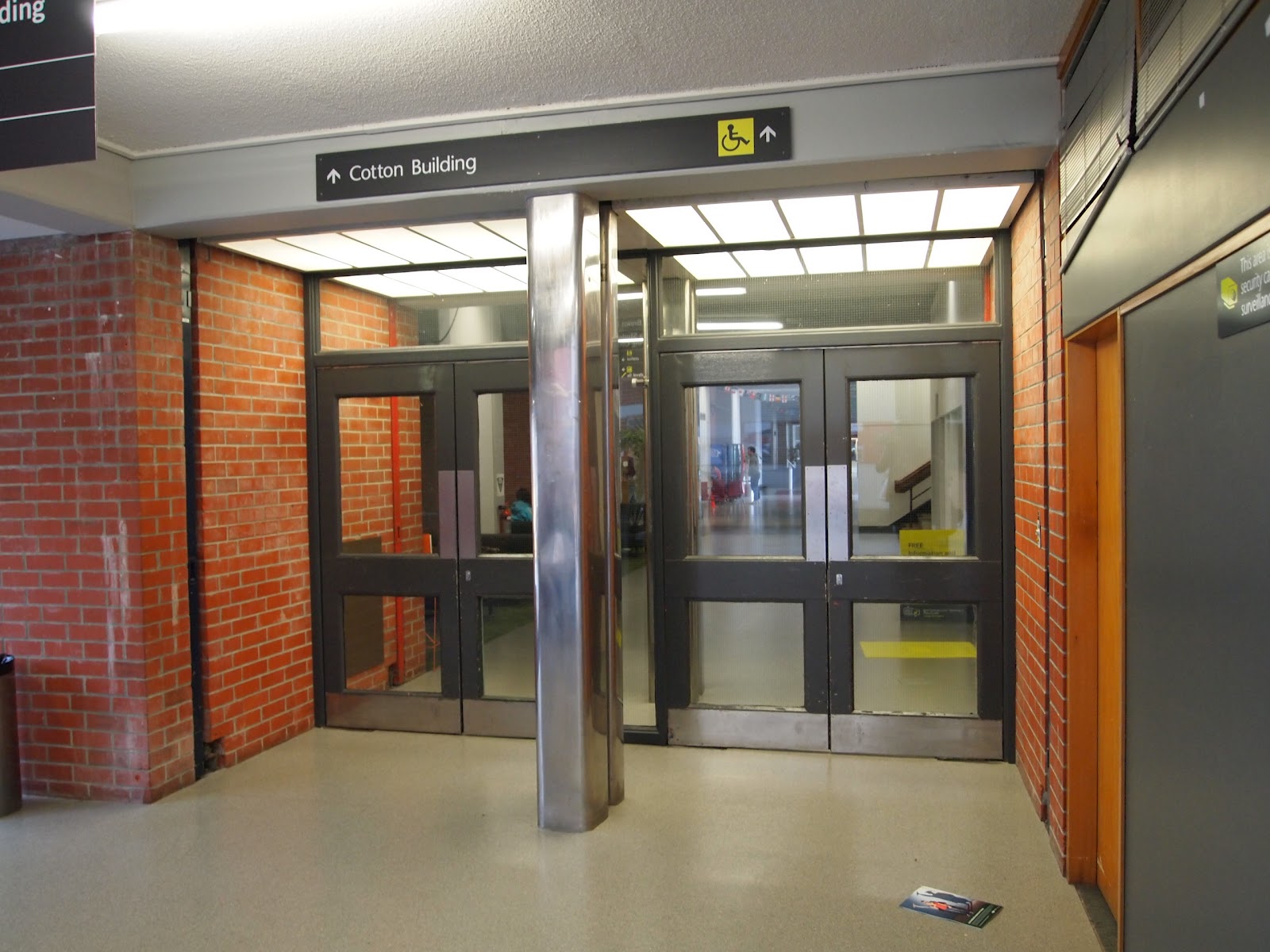
last week i went up to kelburn and took photos of the route i wanted to take so i could use it in my app in my 3d view. as i could put them into photoshop and then use the outlines of them to use for the walls, doors and the lift.
Monday, 24 September 2012
Colour
Subscribe to:
Posts (Atom)